This content is provided under the GNU Free Documentation License, Version 1.3, 3 November 2008
NONE OF THIS IS COMPUTER ADVICE.
Please do not set fire to your processor, break the Computer Misuse Act, or harm others’ computers.
THESE CHICKEN SCRATCHES ARE PROVIDED “AS IS”, WITHOUT WARRANTY OF ANY KIND, EXPRESS OR IMPLIED, INCLUDING BUT NOT LIMITED TO THE WARRANTIES OF MERCHANTABILITY, FITNESS FOR A PARTICULAR PURPOSE AND NONINFRINGEMENT. IN NO EVENT SHALL THE AUTHORS OR COPYRIGHT HOLDERS BE LIABLE FOR ANY CLAIM, DAMAGES OR OTHER LIABILITY, WHETHER IN AN ACTION OF CONTRACT, TORT OR OTHERWISE, ARISING FROM, OUT OF OR IN CONNECTION WITH THE CONTENT HEREIN.
Tools:
SATA and – probably even moreso – SCSI are things you ought to RTFM for.
I experienced a world of hurt attempting to get a SAS3008 card with its default firmware (supporting RAID+JBOD modes) to work.
[    4.297045] megaraid_sas 0000:01:00.0: FW now in Ready state
[    4.297048] megaraid_sas 0000:01:00.0: 63 bit DMA mask and 32 bit consistent mask
[    4.297056] mc: Linux media interface: v0.10
[    4.297304] megaraid_sas 0000:01:00.0: firmware supports msix        : (96)
[    4.302519] iTCO_vendor_support: vendor-support=0
[    4.307340] PTP clock support registered
[    4.311236] megaraid_sas 0000:01:00.0: requested/available msix 9/9 poll_queue 0
[    4.311244] megaraid_sas 0000:01:00.0: current msix/max num queues   : (9/8)
[    4.311247] megaraid_sas 0000:01:00.0: RDPQ mode     : (disabled)
[    4.311250] megaraid_sas 0000:01:00.0: Current firmware supports maximum commands: 272        LDIO threshold: 237
[    4.312327] megaraid_sas 0000:01:00.0: Performance mode :Latency (latency index = 1)
[    4.312332] megaraid_sas 0000:01:00.0: FW supports sync cache        : No
[    4.312336] megaraid_sas 0000:01:00.0: megasas_disable_intr_fusion is called outbound_intr_mask:0x40000009
[    4.320322] iTCO_wdt iTCO_wdt.1.auto: Found a Lynx Point TCO device (Version=2, TCOBASE=0x1860)
[    4.322563] iTCO_wdt iTCO_wdt.1.auto: initialized. heartbeat=30 sec (nowayout=0)
[    4.326624] e1000e: Intel(R) PRO/1000 Network Driver
[    4.326627] e1000e: Copyright(c) 1999 - 2015 Intel Corporation.
[    4.332843] e1000e 0000:00:19.0: Interrupt Throttling Rate (ints/sec) set to dynamic conservative mode
[    4.333399] megaraid_sas 0000:01:00.0: Init cmd return status FAILED for SCSI host 6
[    4.343977] megaraid_sas 0000:01:00.0: Failed from megasas_init_fw 6553
My eventual “fix” was to give up and flash IT mode firmware, but some of the diagnostic steps I tried that may work for you:
iommu=oniommu=ptiommu=softiommu=on intel_iommu=ptiommu=pt intel_iommu=onCode 10 in Device Manager)megasas_init_fw 6550 instead, but still not working)See files being accessed:
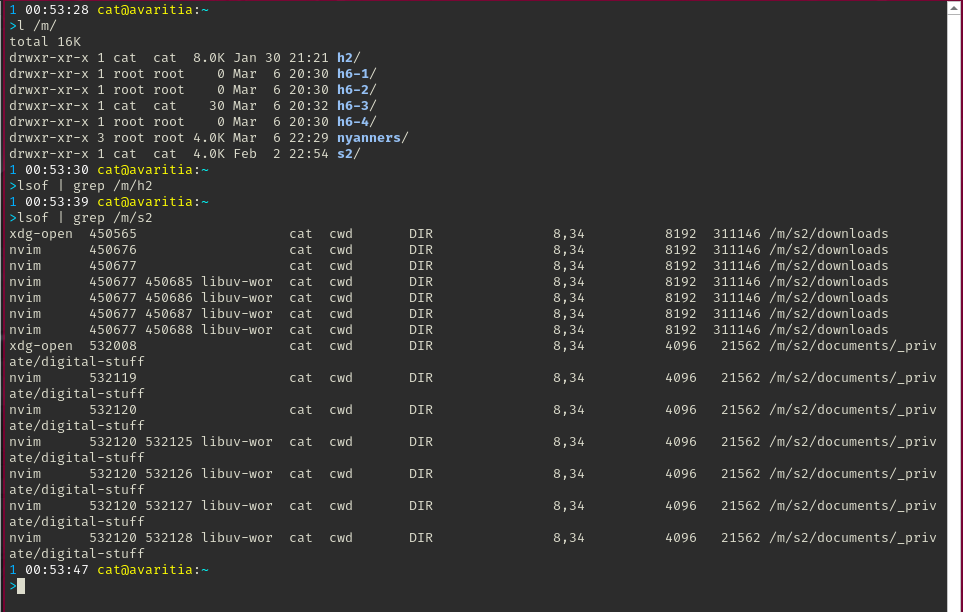
lsof | grep /folder
See disk activity
iostat -x 1

This sets drive to spin down after 5m
https://bbs.archlinux.org/viewtopic.php?id=216832
sudo hdparm -B 128 -S 60 /dev/sdd
References:
Ensure you know what the idle/standby states do and that you know what you are doing.
This is used instead of APM on SAS drives.
The enabled modes will have an asterisk by them. This is important. If none are enabled, the drive won’t spin down.
For example, here standby_z is the only enabled state:
==========================================================================================
 openSeaChest_PowerControl - openSeaChest drive utilities - NVMe Enabled
 Copyright (c) 2014-2025 Seagate Technology LLC and/or its Affiliates, All Rights Reserved
 openSeaChest_PowerControl Version: 3.7.2 X86_64
 Build Date: Mar  6 2026
 Today: 20260307T120113 User: root
==========================================================================================

/dev/sde - ST6000NM0034   X - S4D0TSBZ0000K64564C4 - BC6G - SCSI

===EPC Settings===
        * = timer is enabled
        C column = Changeable
        S column = Savable
        All times are in 100 milliseconds

Name       Current Timer Default Timer Saved Timer   Recovery Time C S
Idle A      1200          10            1200         1             Y Y
Idle B      2400          2400          2400         3             Y Y
Idle C      6000          6000          6000         70            Y Y
Standby Y   6000          6000          6000         70            Y Y
Standby Z  *9000          9000          9000         150           Y Y
| Power Condition Name | Description |
|---|---|
| Idle_a | Reduced electronics |
| Idle_b | Heads unloaded. Disks spinning at full RPM |
| Idle_c | Heads unloaded. Disks spinning at reduced RPM |
| Standby_z | Heads unloaded. Motor stopped (disks not spinning) |
Explanation of the idle/standby states grabbed from https://www.seagate.com/www-content/product-content/enterprise-hdd-fam/exos-x-16/en-us/docs/100845789j.pdf
The plastic of my keycaps has rubbed off on my fingers and I still haven’t figured out a reliable way to get different types of drives to just spin down… I wish better luck to your ventures than I have had.
sudo openSeaChest_Info -d /dev/sde -i
sudo openSeaChest_PowerControl -d /dev/sde --showEPCSettings
sudo sdparm --flexible -6 -l --all /dev/sde
The short and sweet explanation:
I was getting errors when using the openSeaChest_PowerControl functions
The sdparm functions worked for me
If you need to, enable EPC:
sudo openSeaChest_PowerControl -d /dev/sde --EPCfeature enable
Change the time to enter a given idle/standby state (openSeaChest, didn’t work for me):
sudo openSeaChest_PowerControl -d /dev/sde --standby_z 9000
Enable an idle/standby state:
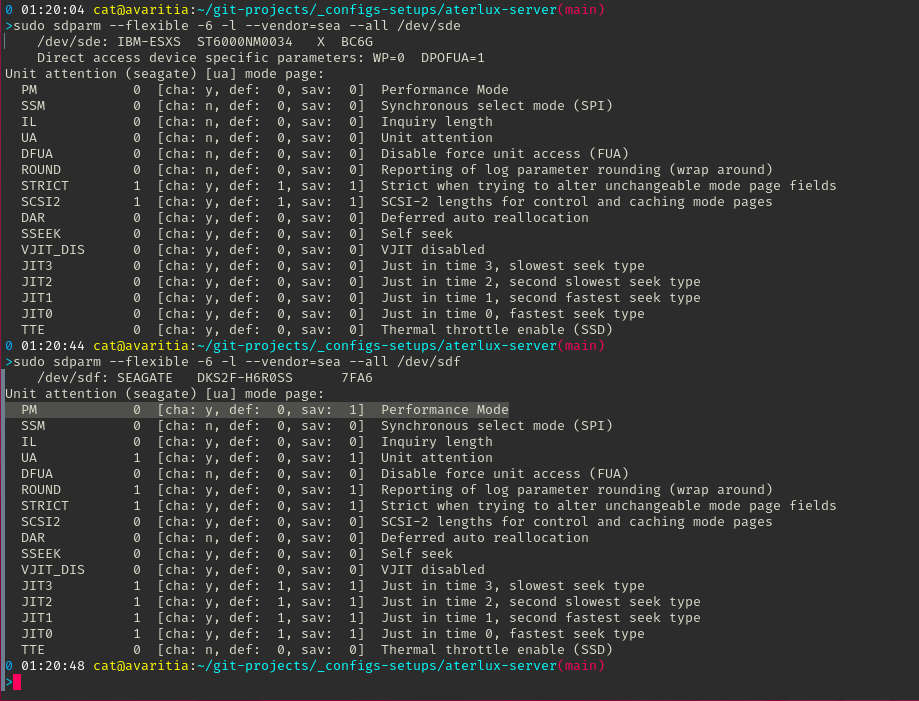
This worked for my “IBM-ESXS” ST6000NM0034 X drive, but not my Seagate DKS2F-H6R0SS drive
sudo sdparm --flexible -6 -l --set standby_z=1 /dev/sde
If these options still do not work, and you have two identical drives, with one misbehaving, you could try and compare their settings (sdparm --all /dev/sde). Albeit to no avail, I changed the PERF and PM attributes in one such attempt.
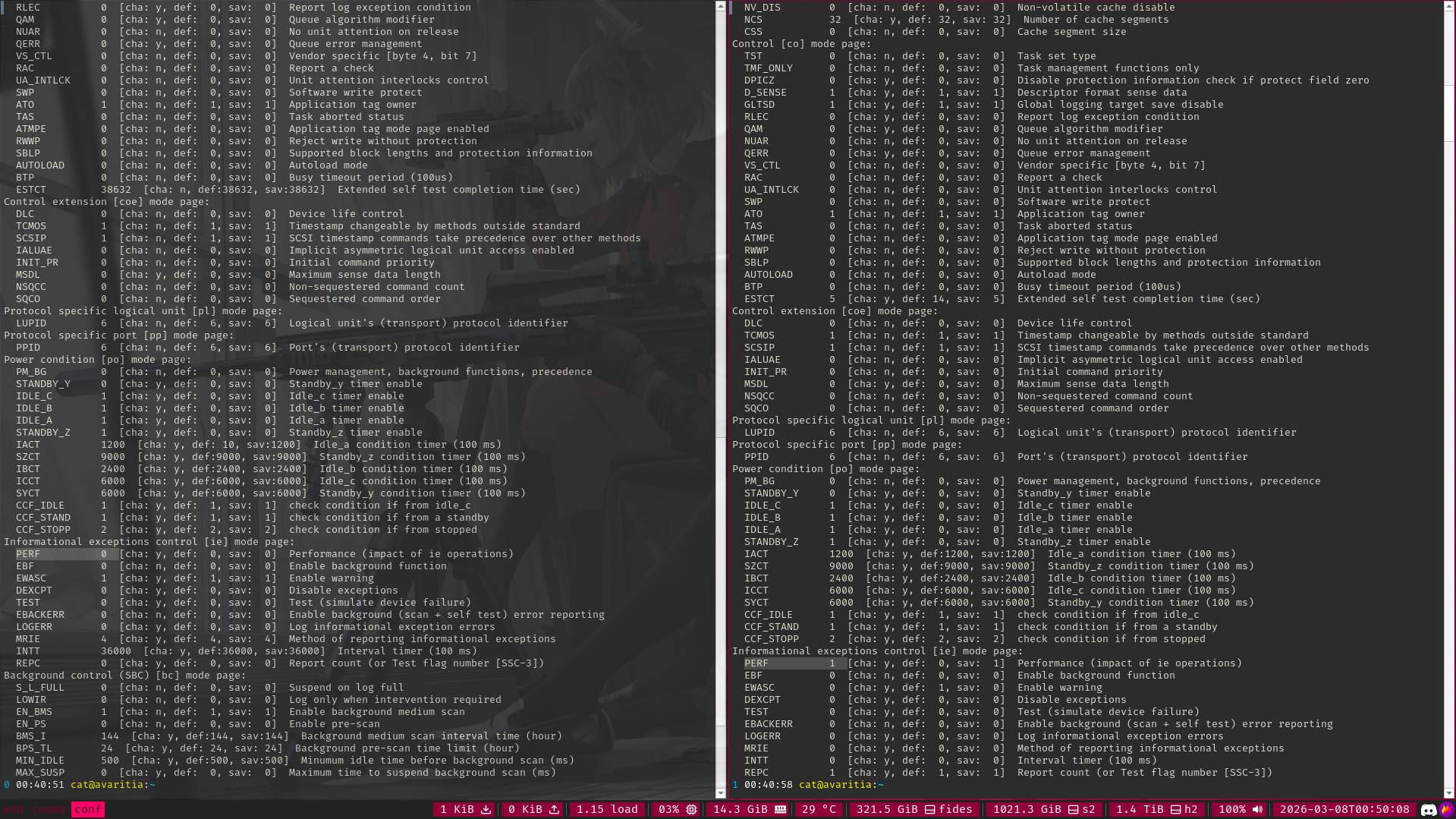
The openSeaChest command spun the drive down but it immediately spun back up
sudo openSeaChest_PowerControl -d /dev/sde --spinDown
This worked but the drive doesn’t come back up automatically
sudo sdparm --command=stop /dev/sde